Datamorf Webapp
Datamorf is a SaaS product focused on automation and orchestration of marketing and sales operations. It provides a workflow builders to mapout the full data process for non-technical teams.
UX/UI Designer
B2B SaaS
2025
Goals & Objectives
Datamorf Webapp
What is Datamorf?
Datamorf is an automation platform that allows users to create marketing and sales workflows connecting different tools and services. Users can define triggers and actions to automate repetitive processes.
My role
I was responsible for redesigning the core feature of the platform: the workflow builder. My focus was to improve usability, clarity, and completion rates, while aligning the product with modern UX standards.
Key objectives:
Simplify the workflow creation process to reduce cognitive load
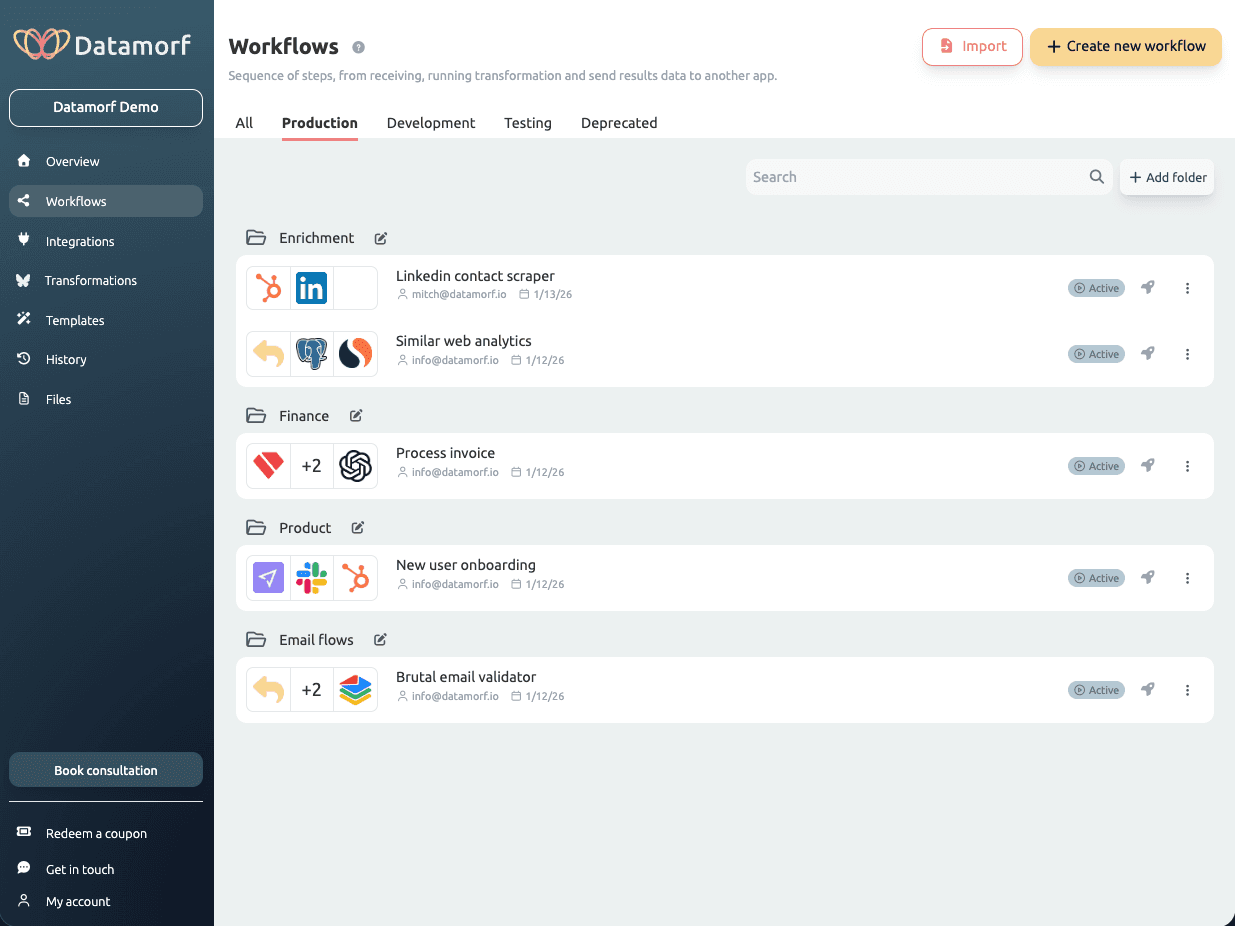
Improve the visibility and scannability of workflows, especially connected integrations
Increase task completion by guiding users through a clear and structured flow
Research
Datamorf Webapp
Datamorf had been built with a strong engineering mindset, without a clearly defined user persona. Working with the founder, we identified that the primary users were non-technical operators: marketers and sales teams who needed to build automation workflows without technical support.
Through competitive analysis, user interviews, and journey mapping, four critical pain points emerged:
No clear mental model: the interface reflected system logic, not user intent
Fragmented navigation: key actions were scattered across multiple sections
High cognitive load: too many options visible at once, important features buried
No sense of progression: users didn't know what to do next, or when they were done
Hypothesis:
If we simplify the workflow structure and align it with a step-by-step mental model, non-technical users will be able to build and complete workflows confidently.
Iterations
Datamorf Webapp
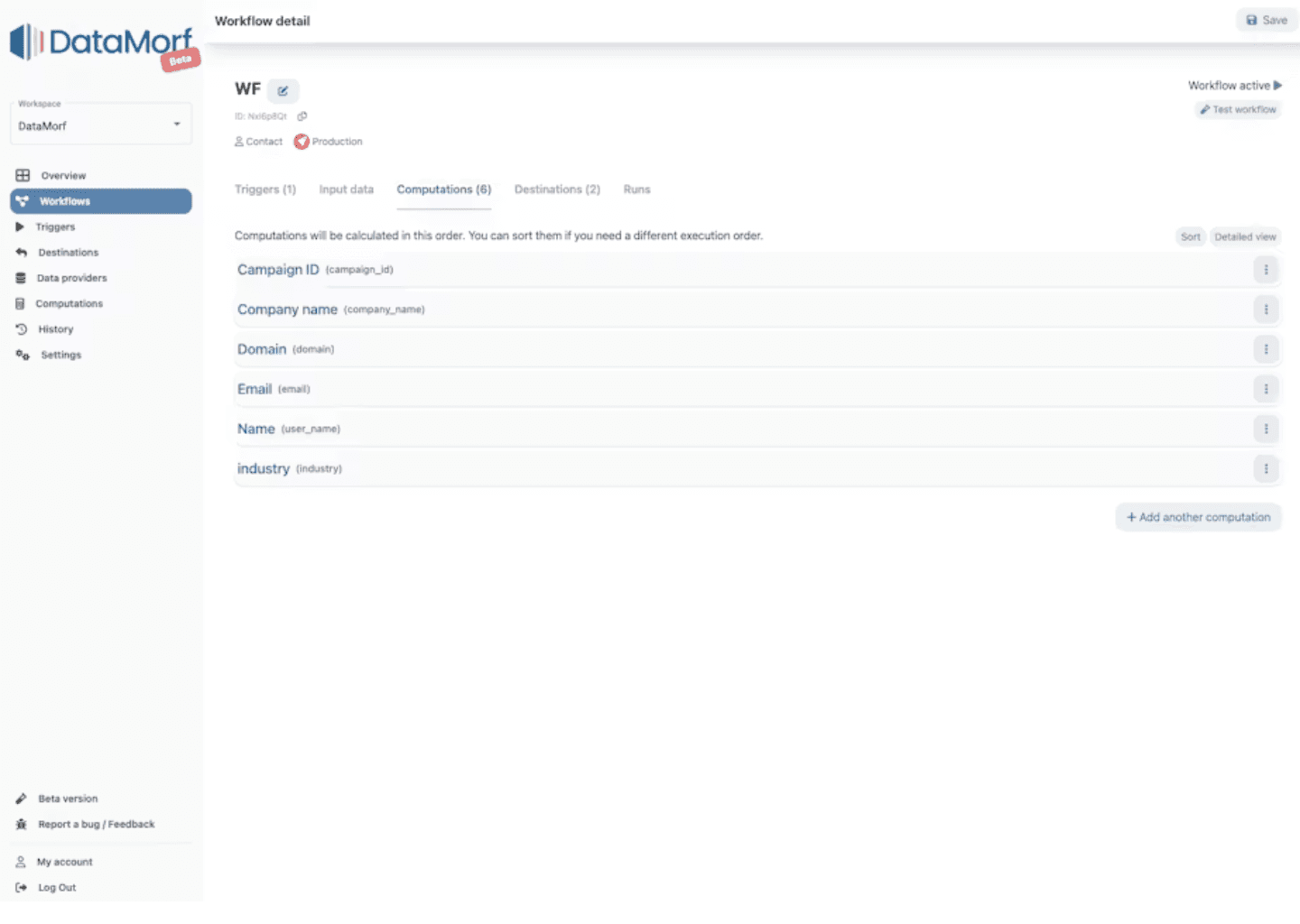
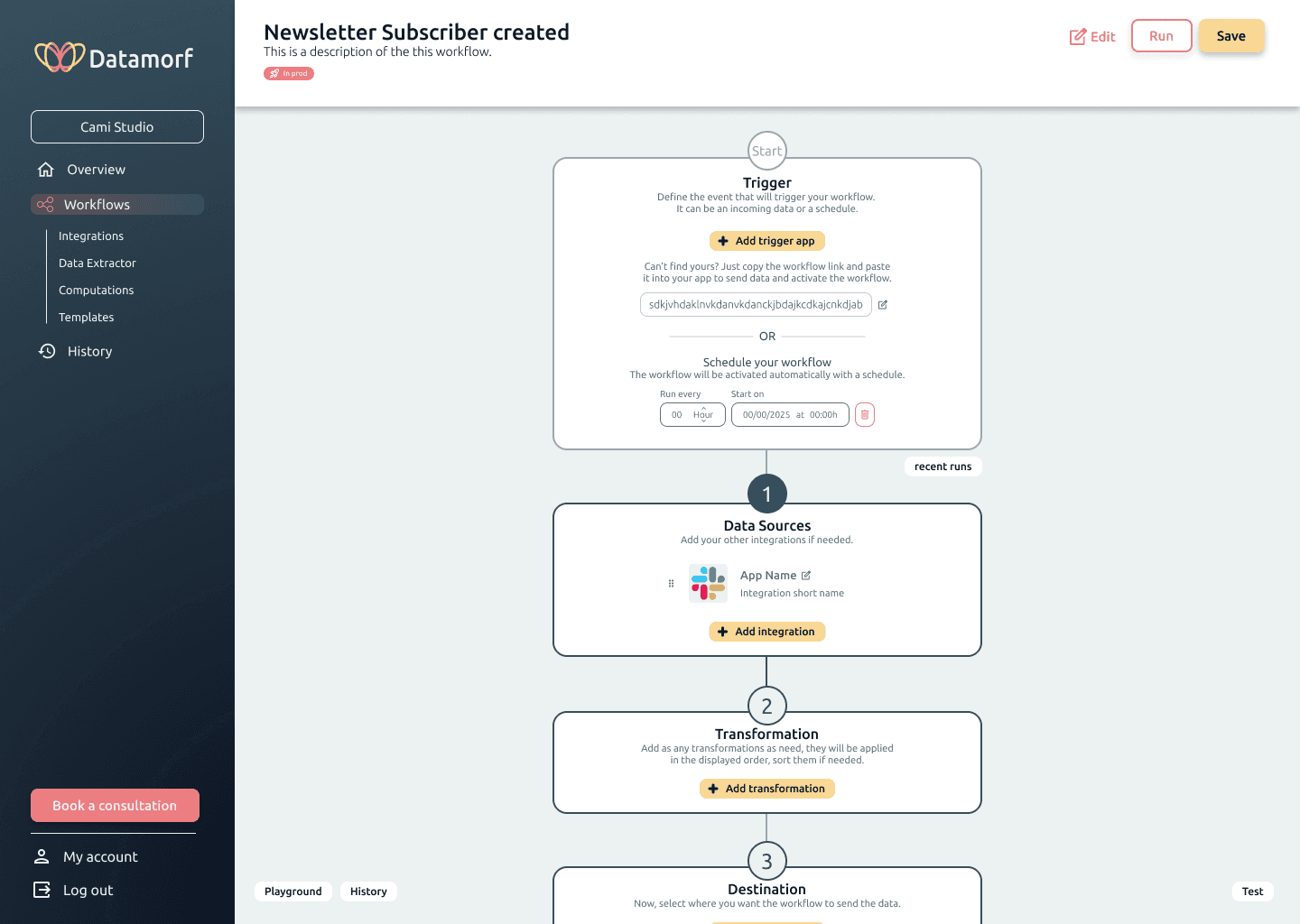
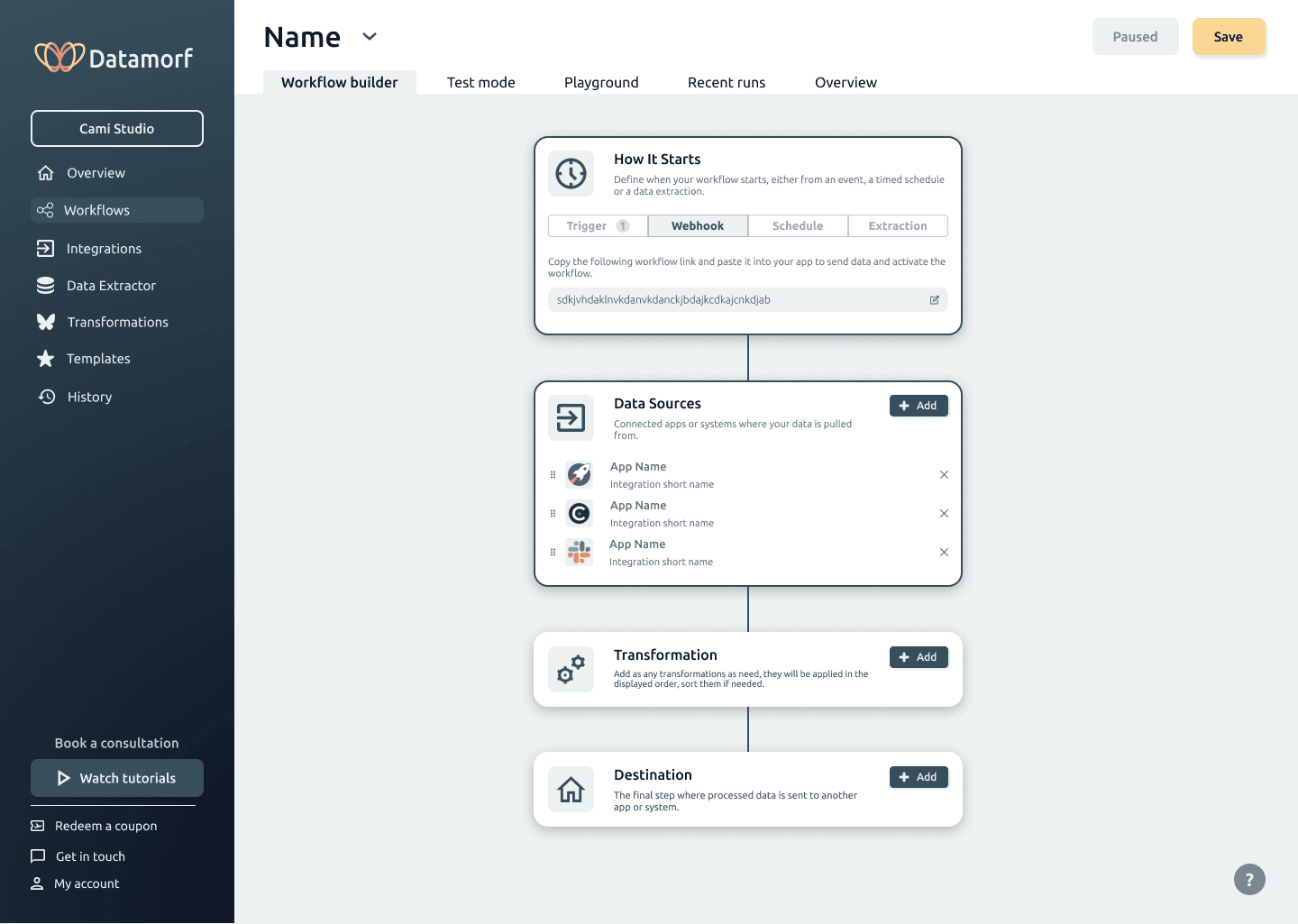
The redesign went through three major iterations, each tested with the internal team and power users. Every round surfaced new friction points and pushed the design toward a clearer, more intuitive experience.
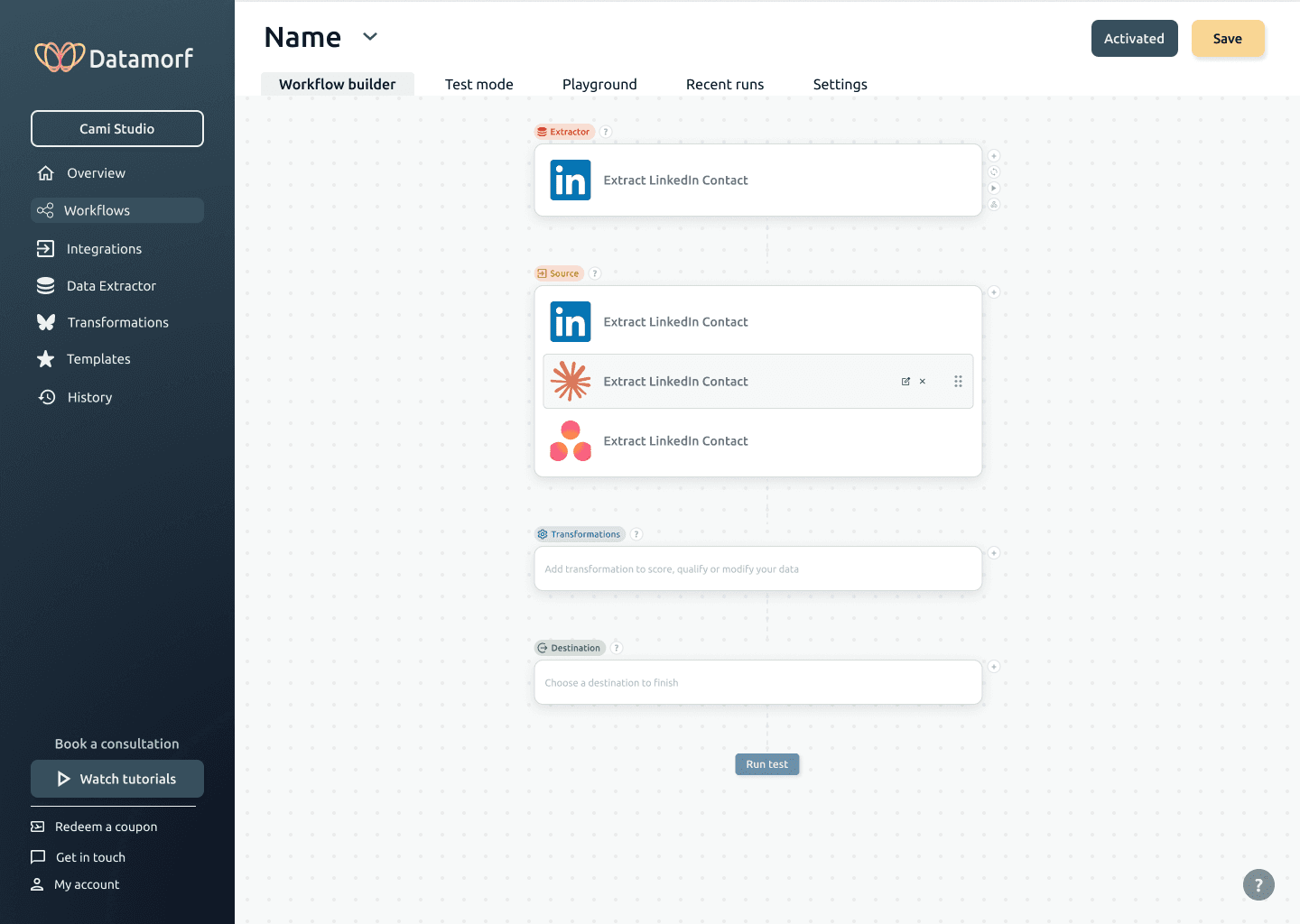
Final Design
Datamorf Webapp
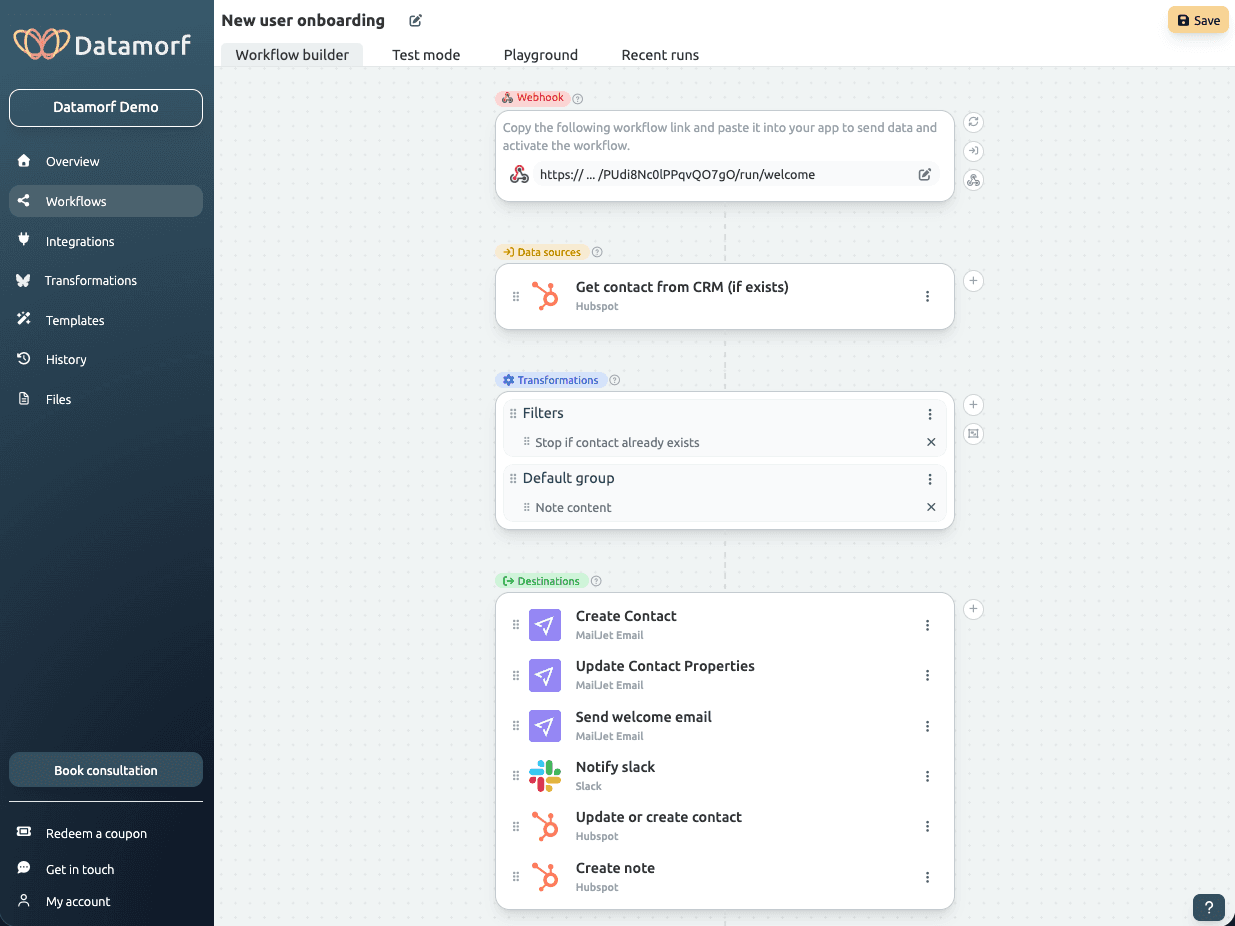
The workflow Builder
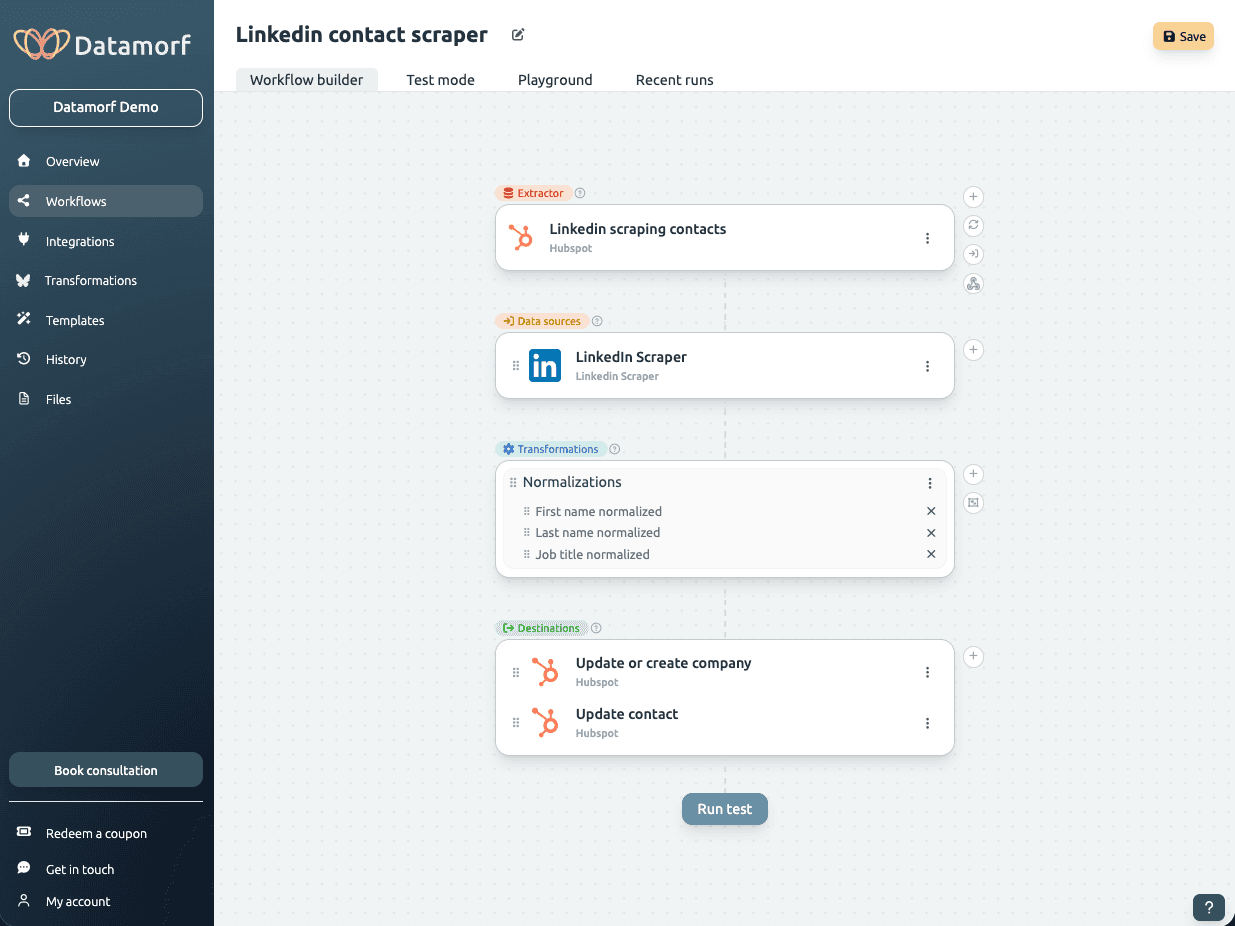
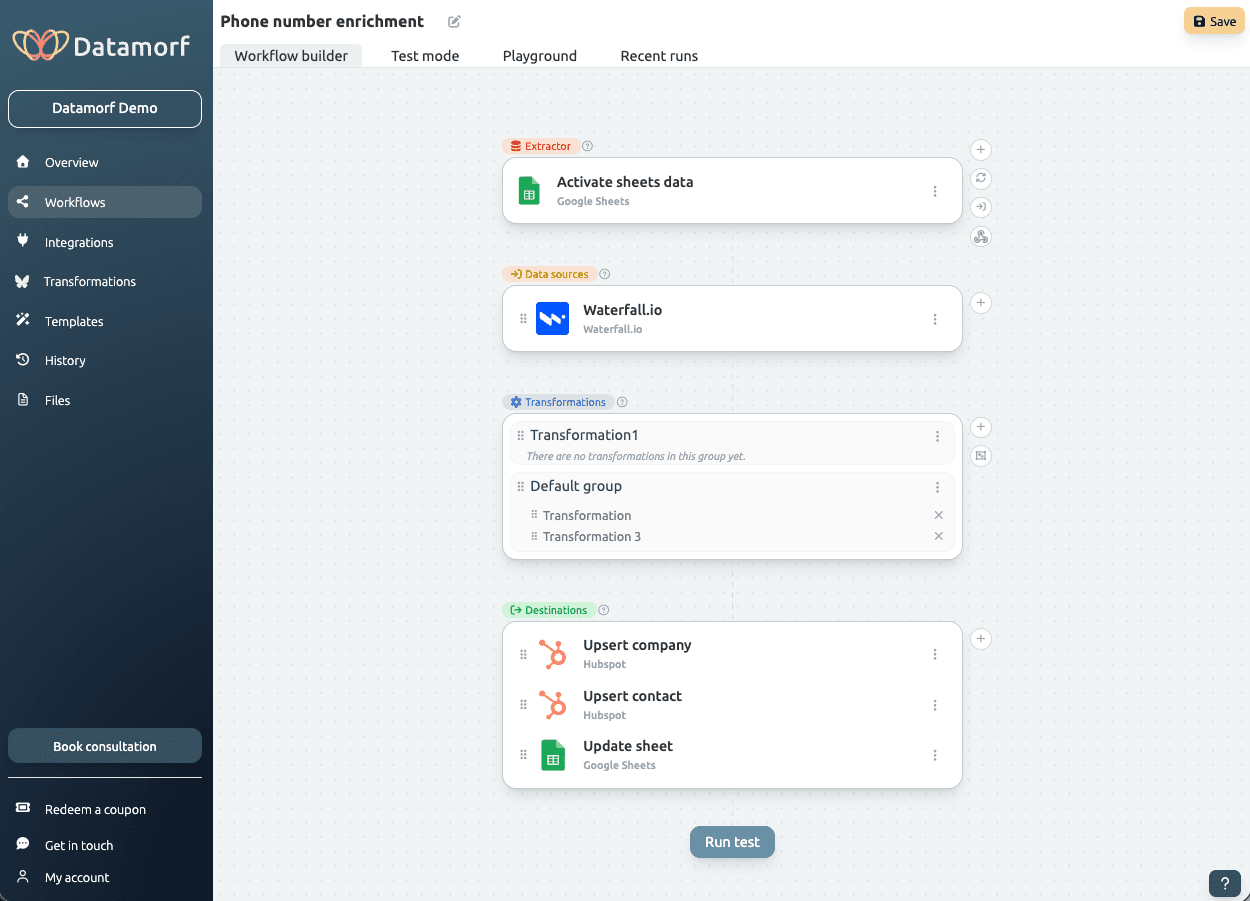
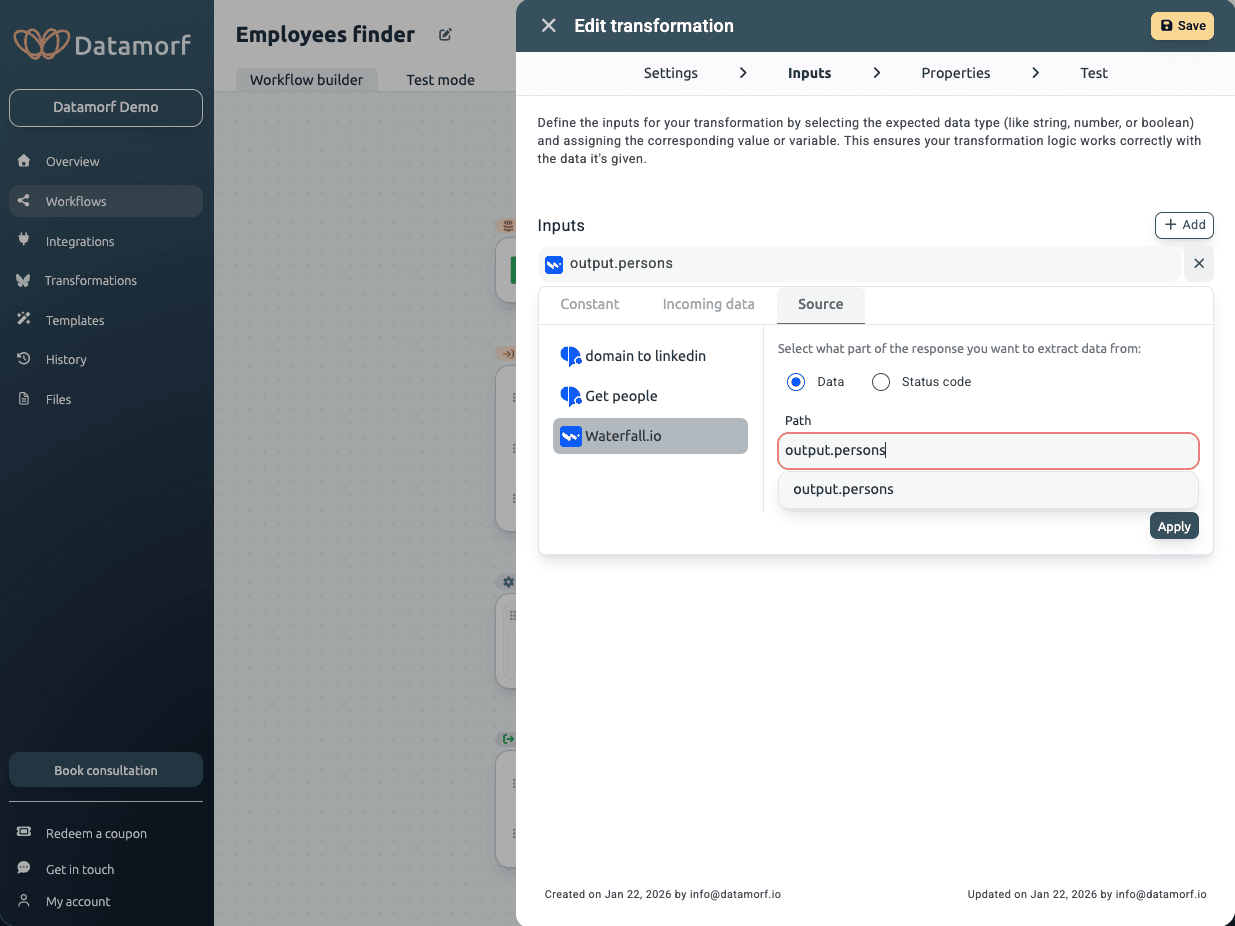
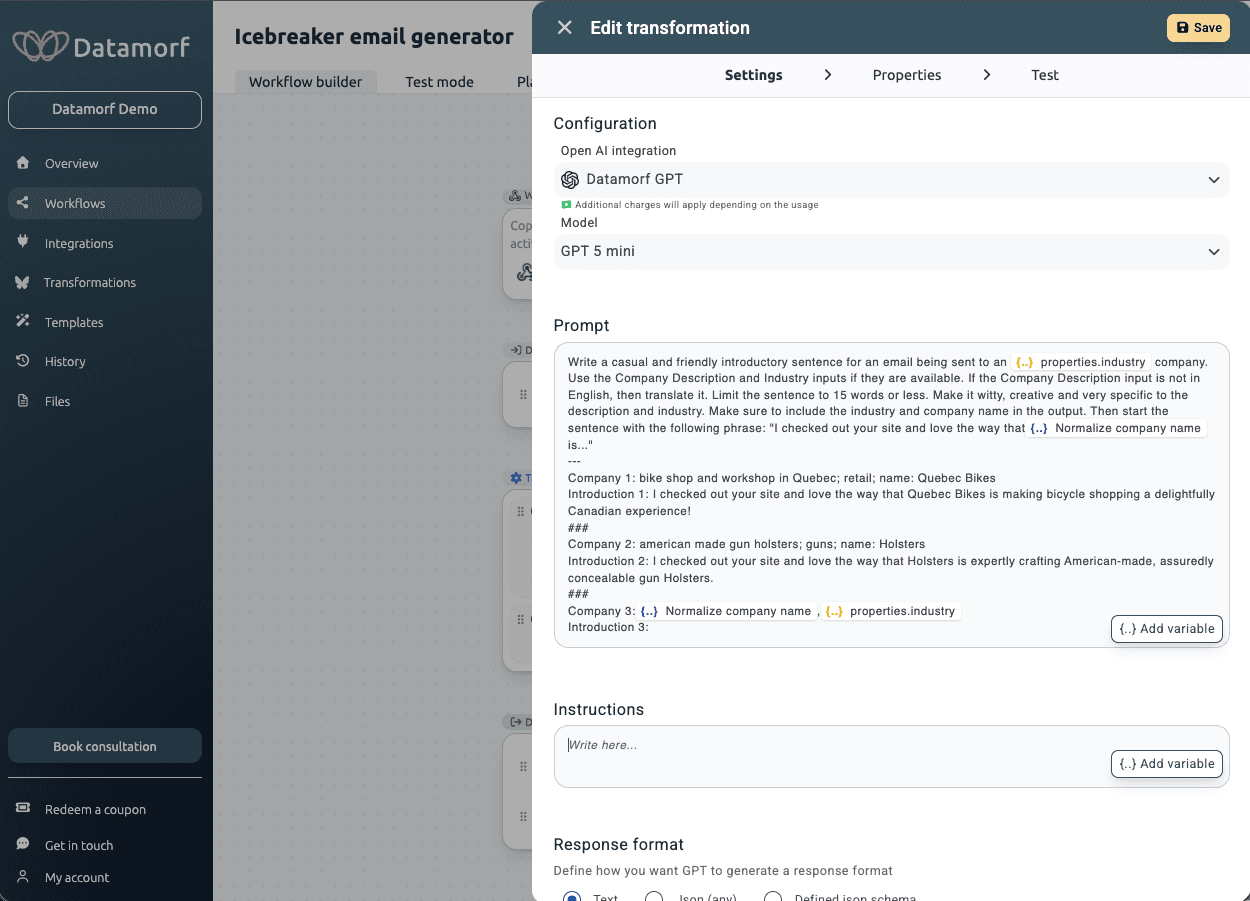
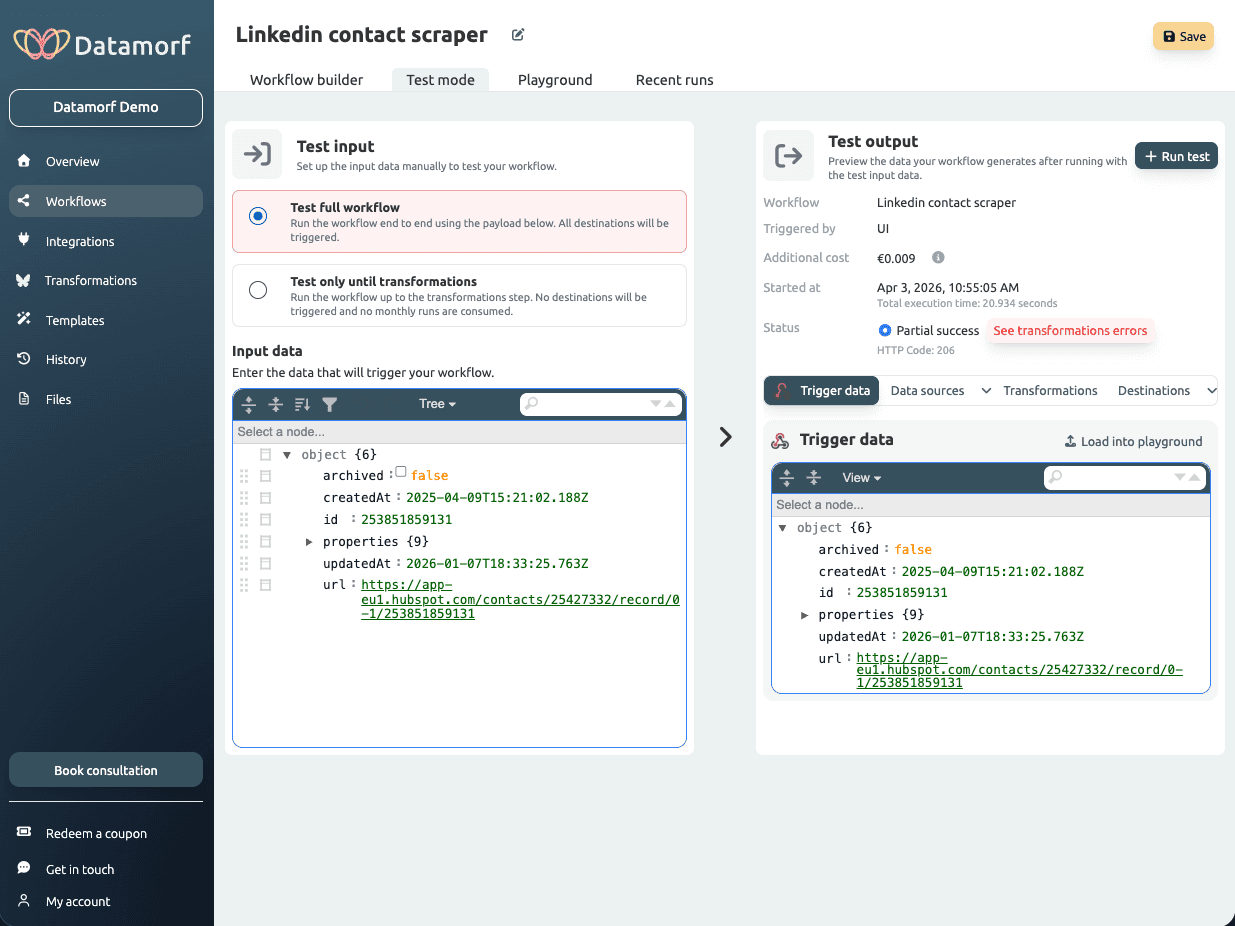
The final deliverable was a fully interactive Figma prototype covering the complete workflow builder and core product flows. The result is a linear, step-by-step experience built for non-technical users: consistent cards, a centralised action panel, and a vertical structure that lets users understand the entire workflow at a glance.
By prioritizing clarity over flexibility, the experience aligns more closely with industry standards and user expectations.
A significant part of the work was ongoing collaboration with the engineering team, from early design decisions through to final implementation, ensuring the designs were technically feasible and accurately translated into the live product.
To support consistency and scalability, I built a complete design system in Figma covering components, states, spacing, and colour logic.
Impact
Although no quantitative analytics were available, usability testing and demos feedback showed clear improvements.
Users were able to understand the workflow structure more quickly and navigate between steps without confusion. The reduction in back-and-forth interactions simplified the overall journey, and the clearer hierarchy of actions helped users focus on what mattered at each step.
The addition of a clear end action (“Run test”) improved users’ ability to complete workflows, addressing one of the initial gaps in the experience.
Overall, the final iteration resulted in a more intuitive, coherent, and user-friendly workflow builder.
Reflection
This project highlighted the importance of aligning product design with user mental models, especially when transitioning from a technically-driven product to a user-centered one.
If I were to continue improving the product, I would focus on implementing proper analytics to measure task completion and drop-off points, as well as conducting more structured usability testing. I would also explore onboarding strategies to further support first-time users.
This project reinforced the value of simplification, prioritization, and iterative validation in designing complex product features.